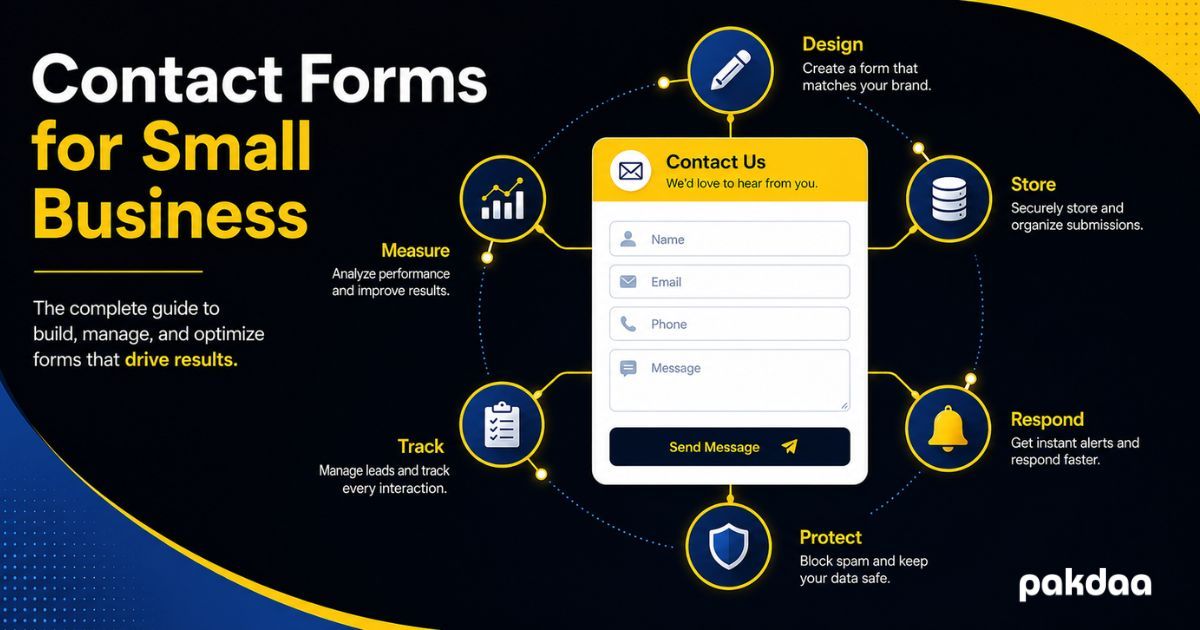
For most small businesses, the contact form is the single most important thing on the website. It is the moment a stranger becomes a lead. Everything else, the design, the copy, the ads you paid for, exists to get someone to that form and make them fill it in.
And yet it is usually the least understood and least maintained part of the whole site. It quietly loses leads, and nobody notices until enquiries dry up. This guide fixes that. It pulls together everything that matters about contact forms for small business, in plain English, from how they work to how to make them convert, capture, and follow up reliably.
Think of this as the map. Each section covers one piece, and links to a deeper guide if you want to go further on that topic. Read it start to finish, or jump to the part that hurts most right now.
Why your contact form matters more than you think
Here is the maths that makes this urgent. You pay to get people to your site, through ads, SEO, and time. Most visitors never enquire. Of the few who reach your form, a large share abandon it, form abandonment runs around 68% to 81% depending on the study. So the handful who actually submit are precious and expensive.
Lose even a few of those to a clumsy form, a silent failure, or a slow reply, and you have wasted the money that got them there. Getting the form right is one of the highest-return things a small business can do, because it multiplies the value of everything upstream.
How a contact form actually works
Before fixing a form, it helps to know what happens when someone clicks submit. In short: the input is checked, sent to a server, processed, and a notification is sent to you, ideally alongside a stored record. A lead can be dropped at any one of those handoffs, silently, while the visitor still sees a thank-you message.
That last point is the one that catches people out. A form can look perfectly healthy and be losing leads every day. We walk through the full journey, and every failure point, in our guide to how website forms work.
Designing a form that converts
Design decides how many people finish the form at all. Most small business forms lose leads here, before any technical issue, simply by asking too much or feeling like a chore.
Keep the fields to a minimum
Every extra field costs you submissions. Ask only for what you need to reply well. For most businesses that is a name, one way to contact them, and a short message. Budget, company size, and "how did you hear about us" can wait until you are actually talking.
Design for mobile first
More than half your visitors are likely on a phone. If fields are hard to tap, the keyboard hides the submit button, or the layout breaks, those leads leave. Test on a real phone, not just a desktop preview.
Give a clear reason to submit
"Contact us" is not a reason. Tell people what happens next and how fast: "Send this and we will reply within one business day." A specific promise lifts submissions more than any clever design.
Validate gently
Validation catches typos before they reach you, but done too harshly it blocks real customers. Show clear inline errors next to the field, never wipe what someone already typed, and only require what you truly need.
Here is a simple rule of thumb for what to keep and what to cut.
Capturing every lead reliably
A form that converts is worthless if the leads never reach you. This is where the quiet, expensive failures live.
Store submissions, do not just email them
Most forms only send an email when someone submits. If that email fails, lands in spam, or gets deleted, the lead is gone with no way to recover it, because nothing was ever stored. The fix is to save every submission to a database or sheet first, then treat email as an alert on top. We make the full case in our guide to storing form submissions instead of emailing them.
Know why forms lose leads
Silent email failures, spam filtering, a plugin that broke after an update, all of these lose leads without any visible error. If your enquiries have dropped and you cannot see why, our guide to why your contact form loses leads walks through how to find the cause fast.
The reliability layer is the difference between a form you hope works and one you know works. It is also cheaper than losing a single deal.
Responding fast enough to win
Capturing a lead is only half the job. How fast you reply decides how many convert.
The gap is dramatic. Leads engaged within five minutes qualify far better than those reached after 30, per research widely cited from Harvard Business Review. Wait until the next morning and most buyers have already spoken to a competitor. Here is roughly how response time maps to outcomes.
Fast replies do not happen by luck. They happen when a new lead triggers an instant alert to a channel you actually watch, and when enquiries from every source land in one place. Our guide to never missing a customer enquiry covers how to set that up across your form, email, and messaging channels.
Protecting your form from spam
Spam is not just annoying, it buries real leads and pushes owners into over-tightening filters that then block genuine customers. Bots crawl the web and fire junk at any form they find.
The fix is to layer quiet, invisible defences first, a honeypot field, a time check, server-side validation, and rate limiting, and reach for a visible CAPTCHA only if spam still gets through. These stop most bots without adding friction for real people. Our guide to protecting your contact form from spam has the full method.
Tracking and following up on leads
Once leads arrive reliably, you need to track them so none go cold. You do not need an expensive CRM to start. A simple spreadsheet that auto-fills from your form, with a status column and follow-up dates, handles it for most small businesses.
The three jobs that matter are capture, status, and follow-up. Give every lead an owner and a next action, and review the list weekly. Our guide to tracking leads without a CRM shows the exact setup, and when it is finally time to graduate to a proper CRM.
Measuring which forms and ads actually work
If you spend anything on ads, you need to know which ones produce real leads, not just clicks. That means attributing each enquiry back to its source.
The basics are simple: tag your campaign links, capture that source in a hidden field on the form, and store it with each submission. Then you can see which ads pay and which waste money. Our guide to proving marketing ROI walks through the whole setup.
Do you also need live chat?
Many small businesses wonder whether live chat would beat a form. The honest answer is that they do different jobs. A form works around the clock and captures complete, higher-intent enquiries. Live chat catches quick questions in the moment, but only helps if someone can answer fast.
For most, the right setup is both, with everything feeding one place. We compare them properly in our guide to contact form vs live chat.
What getting it wrong actually costs
It is worth being blunt about the stakes. A form that silently drops a few leads a month can cost lakhs a year once you count the deal value plus the ad spend that generated those enquiries. We put real numbers on it in our guide to the true cost of lost web leads.
And that is before the hidden cost of handling everything by hand, the hours copying leads, the slow replies, the errors. Our guide to the hidden cost of managing forms manually breaks that down, and shows what automation replaces.
The small business contact form checklist
Pull it all together and a form you can trust looks like this. Use it as a quick audit of your own.
If you can tick every row, your contact form is doing its job. If a few are blank, those are exactly where leads are leaking right now.
When to get help
You can do a lot of this yourself, better fields, a clear promise, a weekly tracking habit. The parts most small businesses want help with are the technical reliability layer: storing submissions, wiring up instant alerts, setting up attribution, and monitoring so failures surface fast. That is where a small amount of setup prevents a lot of lost revenue.
The bottom line
Your contact form is the most valuable page on your site, so it deserves more than being set up once and forgotten. Get the design right so people finish it, the reliability right so leads always reach you, the speed right so they convert, and the tracking right so none go cold. Do that and you get far more from the traffic you already have, without spending more to acquire it. When you are ready to make your contact forms for small business genuinely reliable, that is exactly what our team builds.
Want a contact form that actually captures every lead?
We will audit and build your small business contact form end to end, design, reliable storage, instant alerts, spam protection, and tracking, so you stop losing the leads you paid for. Free to start.
Book a free form audit