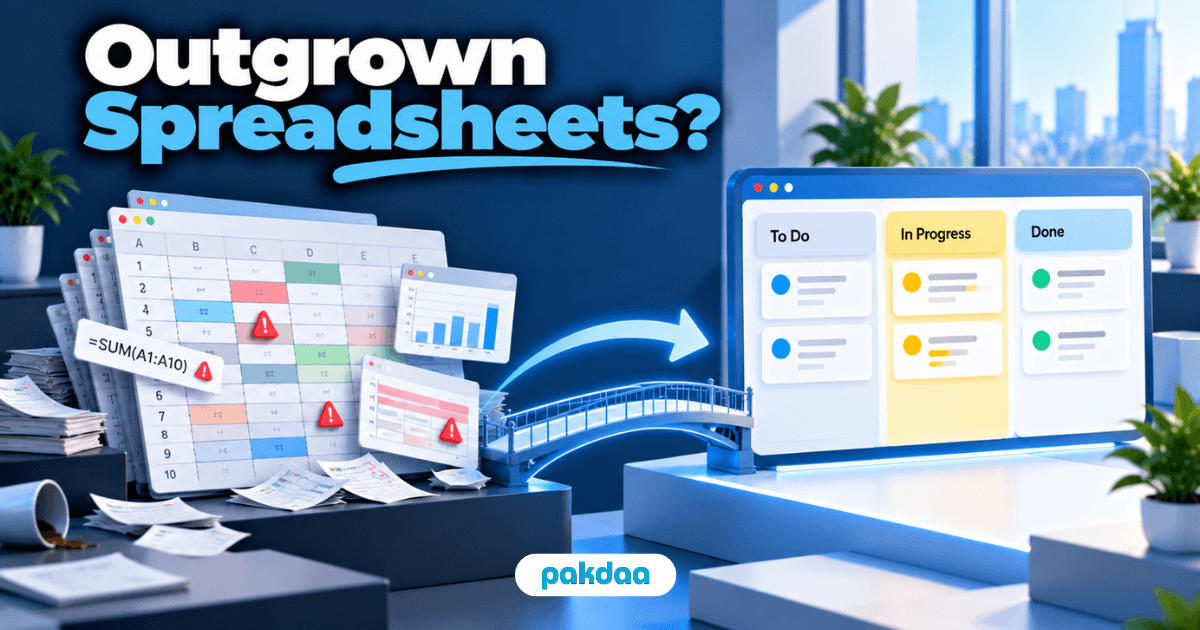
Every growing business has one. The master sheet. Orders, stock, tasks, follow-ups, all in one file with 14 tabs, colour codes only two people understand, and a formula nobody dares touch.
It got you here. But at some point, most businesses have outgrown spreadsheets without noticing. And the cost shows up as errors, not as a warning.
The numbers are uncomfortable. A study led by professor Pak-Lok Poon, covered by Xataka On, found 94% of spreadsheets used in business applications contained errors that could affect decisions. And a 2026 survey by operations software company DOSS found 22% of operations professionals deal with spreadsheet errors every single day.
Below, we explain why business spreadsheets break, the five signs you've outgrown them, and how to move on without disrupting your team.
Why business spreadsheets break
Spreadsheets aren't bad tools. They're general-purpose tools being used as business systems. That gap is where errors come from.
- Everything is typed by hand. One wrong digit in a price or quantity flows into every total that depends on it.
- There's no validation. A spreadsheet will happily accept a delivery date in the past or a negative stock count.
- Copy-paste is the integration. Data moves between sheets, emails and Tally by hand, with a chance of error every time.
- Versions multiply. "Orders_final_v3_updated" on one laptop, "Orders_final_v4" on another.
- There's no real audit trail. When a number changes, it's hard to tell who changed it, when, or why.
As The Conversation points out, organisations keep repeating the same spreadsheet mistakes. Not because people are careless, but because the tool relies on everyone getting everything right, every time.
What are the risks of using Excel to manage work?
Hidden formula errors, wrong data entered by hand, conflicting versions of the same file, no reliable record of changes, and work that depends on one person who understands the sheet. For task management specifically, there's also no live status, no reminders and no clear ownership.
5 signs you've outgrown spreadsheets
A few rough edges are normal. These five signs mean the spreadsheet has become the bottleneck.
1. There are multiple versions of the truth
Sales quotes one stock number, ops sees another, and accounts has a third. Everyone is using "the sheet," but not the same one. When teams argue about which number is right, the spreadsheet has stopped being a system.
2. One person is the system
Only one person really understands the master sheet. When they're on leave, work slows or stops. Questions queue up waiting for them. That's not a spreadsheet anymore, it's a single point of failure.
3. Someone copies data every day
Orders from WhatsApp into the sheet. Dispatch details from the sheet into Tally. Status from the sheet into a client email. If someone spends part of every day moving data by hand, you're paying for errors and lost time on repeat.
4. Clients find the errors before you do
A wrong price on an invoice. A delivery date that was never confirmed. Stock promised that wasn't there. When mistakes reach clients, spreadsheet errors have moved from inconvenient to expensive.
5. You have to ask to know the status
If the only way to know where an order or task stands is to open the file and still message someone, the sheet isn't giving you visibility. It's just storing data.
Here's a quick self-check.
If you said yes to two or more, it's time to plan the move. Three or more, and the spreadsheet is likely already costing you more than a replacement would.
When spreadsheets are still fine
To be fair to spreadsheets, they're still the right tool for a lot of work:
- One-off analysis, budgets and what-if models.
- Small teams of a few people with simple, low-volume work.
- Reports pulled from a proper system for further analysis.
The problem isn't using spreadsheets. It's running daily operations on them once several people, departments and clients depend on the same data.
Can Google Sheets be used for project management?
For a small team with a handful of simple projects, yes. Shared editing makes it better than emailing Excel files around. But it still lacks reminders, dependencies, real ownership and reliable status history. Once several people manage overlapping work in it, a proper tool usually pays off.
What to replace spreadsheets with
There's no single answer. It depends on what's actually breaking. We compared tools in detail in our post on task visibility tools, but here's the short version.
How to move off spreadsheets without disrupting work
The biggest fear is that switching will break things that currently work. It won't if you move one piece at a time. Here's the order we recommend.
- List every critical sheet and its owner. Note what each one tracks, who updates it and who relies on it.
- Start with the sheet causing the most pain. Usually it's orders, stock or task tracking. Don't migrate everything at once.
- Clean the data first. Remove duplicates, fix formats and agree on one version before moving anything.
- Run old and new side by side. For two to four weeks, use both, and compare results until the team trusts the new system.
- Switch and lock the old sheet. Make the spreadsheet read-only so nobody slips back to it out of habit.
- Move to the next sheet. Repeat the process, one workflow at a time.
When should a business stop using spreadsheets?
When several people depend on the same sheet every day, when data has to be copied between files or systems, or when errors start reaching clients. Team size matters less than how many people and decisions rely on the data. In our experience, it usually happens somewhere past 15 to 30 people, as covered in our post on operational chaos in growing teams.
What this looks like in practice
Take a typical case. A 35-person spare parts distributor in Ahmedabad. One master sheet holds orders, stock levels, dispatch status and payment follow-ups. Six people edit it every day. Stock numbers are often wrong because someone updated the dispatch tab but not the stock tab. Two clients were promised parts that weren't in the warehouse last month.
They move in stages. Orders and stock come out first, into a connected system where a dispatch automatically reduces stock. Payment follow-ups follow a month later. The master sheet becomes read-only and is used only for occasional analysis.
The errors don't disappear overnight. But the most expensive ones, wrong stock and missed dispatches, stop reaching clients.
That kind of step-by-step move is what our team does at Nipralo. We build custom ERP systems and business software that replace the master sheet with one connected record for sales, operations and accounts.
The bottom line on outgrown spreadsheets
Spreadsheets aren't the enemy. Running daily operations on them, past a certain size, is. Research suggests most business spreadsheets already contain errors. The question is whether those errors are reaching your clients yet.
If you recognise two or more of the five signs, start planning. Move the most painful sheet first, run old and new side by side, and lock the spreadsheet once the team trusts the new system.
Think your business has outgrown spreadsheets? Book a free 20-min call and we'll help you work out which sheet to replace first and what to replace it with.