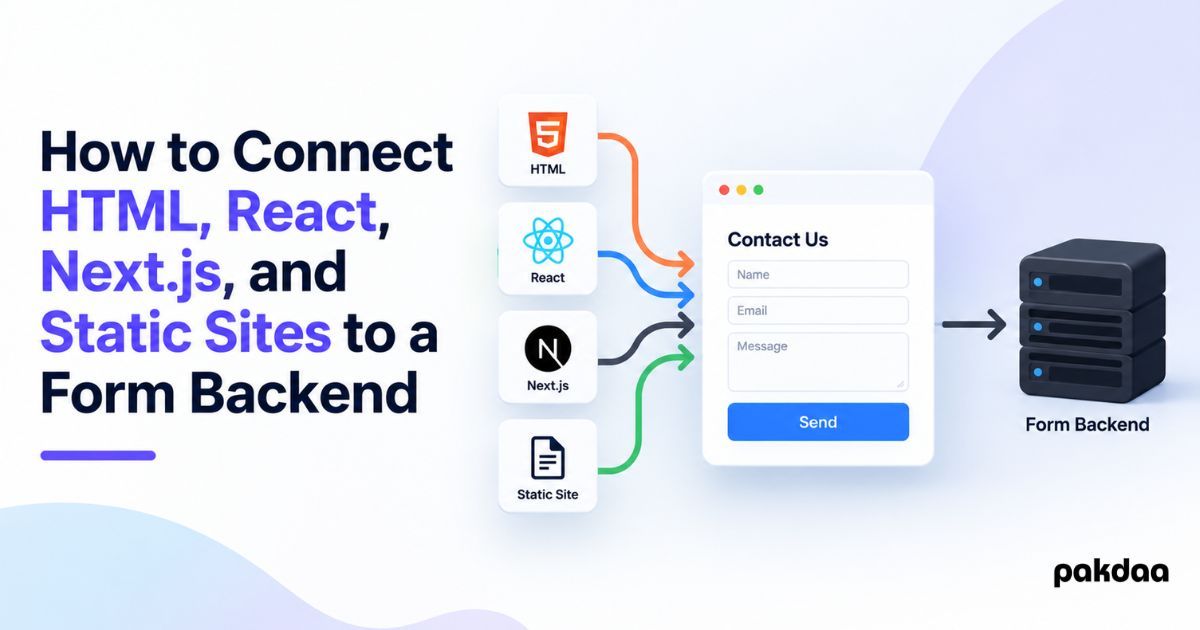
"How do I connect my form to a backend?" sounds like one question, but the answer changes with your front end. A plain HTML form posts directly. React intercepts the submit and sends the data itself. Next.js can handle it with its own API route. A static site has to reach an external endpoint. Same goal, four different wirings.
Get the wiring wrong and you get the worst kind of bug: a form that looks fine and silently drops submissions. So here is the pattern for each of HTML, React, Next.js, and static sites, with code, plus the rules that apply no matter which you use.
One important note before the code: framework APIs change, and these snippets are patterns to illustrate the approach, not copy-paste-guaranteed final code. Check each against the current official docs for your version before you ship.
The mental model that ties them together
Underneath the differences, every case is the same three-part flow. The form collects the input. That data is sent to a destination, an endpoint, an API route, or a backend. The destination validates it, stores it, and notifies you.
The front ends differ only in that middle step: how the data gets sent, and where the receiving logic lives. Hold that model and each version below is just a variation on it.
1. Plain HTML
The simplest case. An HTML form can post directly to a URL using its action and method attributes, no JavaScript needed. The browser sends the data to that endpoint, which handles the rest.
<form action="https://your-endpoint-url" method="POST">
  <input type="text" name="name" required />
  <input type="email" name="email" required />
  <textarea name="message" required></textarea>
  <button type="submit">Send</button>
</form>
Here the receiving logic lives entirely at the endpoint. The page just points at it. This is exactly how a form endpoint service works, which we cover in our guide to adding a form to a static site.
2. React
React usually manages the form in JavaScript instead of letting the browser post directly. You capture the input, prevent the default submit, and send the data yourself with the fetch API. See the React docs for current form handling patterns.
function ContactForm() {
  async function handleSubmit(e) {
    e.preventDefault();
    const form = e.target;
    const data = {
      name: form.name.value,
      email: form.email.value,
      message: form.message.value,
    };
    await fetch("https://your-endpoint-url", {
      method: "POST",
      headers: { "Content-Type": "application/json" },
      body: JSON.stringify(data),
    });
  }
  return (
    <form onSubmit={handleSubmit}>
      <input name="name" required />
      <input name="email" type="email" required />
      <textarea name="message" required></textarea>
      <button type="submit">Send</button>
    </form>
  );
}
The destination is still an external endpoint or backend. React just sends the data to it via fetch instead of a native form post, which gives you control over loading states, validation, and success messages.
3. Next.js
Next.js is different because it can be its own backend. Instead of only reaching an external service, you can handle the submission inside the same project using an API route, called a Route Handler in the App Router. Check the Next.js docs for the current approach and for server actions, which are another option.
// app/api/contact/route.js
export async function POST(request) {
  const data = await request.json();
  // validate, store, and notify here
  return Response.json({ ok: true });
}
Your form, in a client component, posts to /api/contact with fetch, much like the React example, but now the receiving logic lives inside your own app. This is handy when you want the backend and front end in one codebase, though the data still needs to be stored somewhere.
4. Static sites
A static site has no server of its own, so it cannot host the receiving logic. It connects the same way plain HTML does, by pointing the form at an external endpoint, or using fetch from a small script to send the data to a form endpoint service or a serverless function.
In other words, static sites use option 1 or the React-style fetch, with the destination always being something external. The full walkthrough is in our guide to adding a form to a static site.
Which is which, at a glance
Here is where the receiving logic lives in each case.
The rules that apply to all four
The wiring differs, but these rules do not. Get them right regardless of front end.
Validate on the server, not just the browser
Front-end validation is for user experience, and it can be bypassed. Always re-check the data wherever it is received, since that is the only check a determined bot or bad actor cannot skip.
Store submissions, do not just email them
Whatever the destination, make sure it saves each submission to a store you control, not only an email. If the notification fails and nothing was stored, the lead is gone. We explain why in our guide to storing form submissions instead of emailing them.
Keep secrets out of the front end
Never put API keys or private credentials in HTML, React, or client-side code, they are visible to anyone. Secrets belong in the backend, the serverless function, or the endpoint service, never in the browser.
Protect against spam
A public endpoint gets hit by bots. Add quiet defences like a honeypot and a time check, covered in our guide to protecting your contact form from spam.
Or skip the wiring entirely
If you do not want to build and maintain the receiving logic, a managed form service gives you an endpoint you can point any of these front ends at, HTML, React, Next.js, or static, and it handles catching, storing, and notifying. Whether that beats building your own is a real decision, which we weigh in our guide to a form service versus handling forms yourself.
The bottom line
Connecting a form to a backend is the same three-part flow every time: collect, send, process. HTML posts natively, React and static sites send via fetch to an external endpoint, and Next.js can process it in its own API route. Whatever you choose, validate on the server, store every submission, keep secrets out of the front end, and block spam. Verify the code against current docs, and if you would rather have it built and made reliable for you, that is exactly what our team does.
Want your form wired up properly?
Whatever your stack, HTML, React, Next.js, or static, we will connect your form to a reliable backend that validates, stores, and notifies, with spam protection built in. Free to scope.
Book a free build call